What a Website Care Plan Should Actually Do for You Every Month
The invoice arrives every month. Here is the work that should be behind it, the report you should get, and how to tell if you are paying for nothing.
The controller is going through recurring charges line by line. Most are easy. Then the list reaches the website care plan and asks what it bought last month. Nobody in the room can say.
That is not proof the money is wasted. A good care plan is mostly invisible when it works, the same way a good bookkeeper is. But invisible and unaccountable are different things. If you pay for something every month, you should be able to see what was done.
Here is what the work behind that invoice should look like, what you should hear about it, and when the honest answer is that you do not need a plan at all.
What you are actually paying for
A care plan buys two things. The first is routine work that keeps the site safe and working. The second is a person who already knows your site and answers when something goes wrong.
The second part is easy to undervalue until the day you need it. A stranger fixing an unfamiliar site in a hurry costs more and takes longer than someone who has been looking after it all along.
What a care plan does not buy is growth. It keeps the lights on. If someone is selling you a maintenance plan as a marketing plan, ask which line items actually bring in quotes.
The work that should happen every month
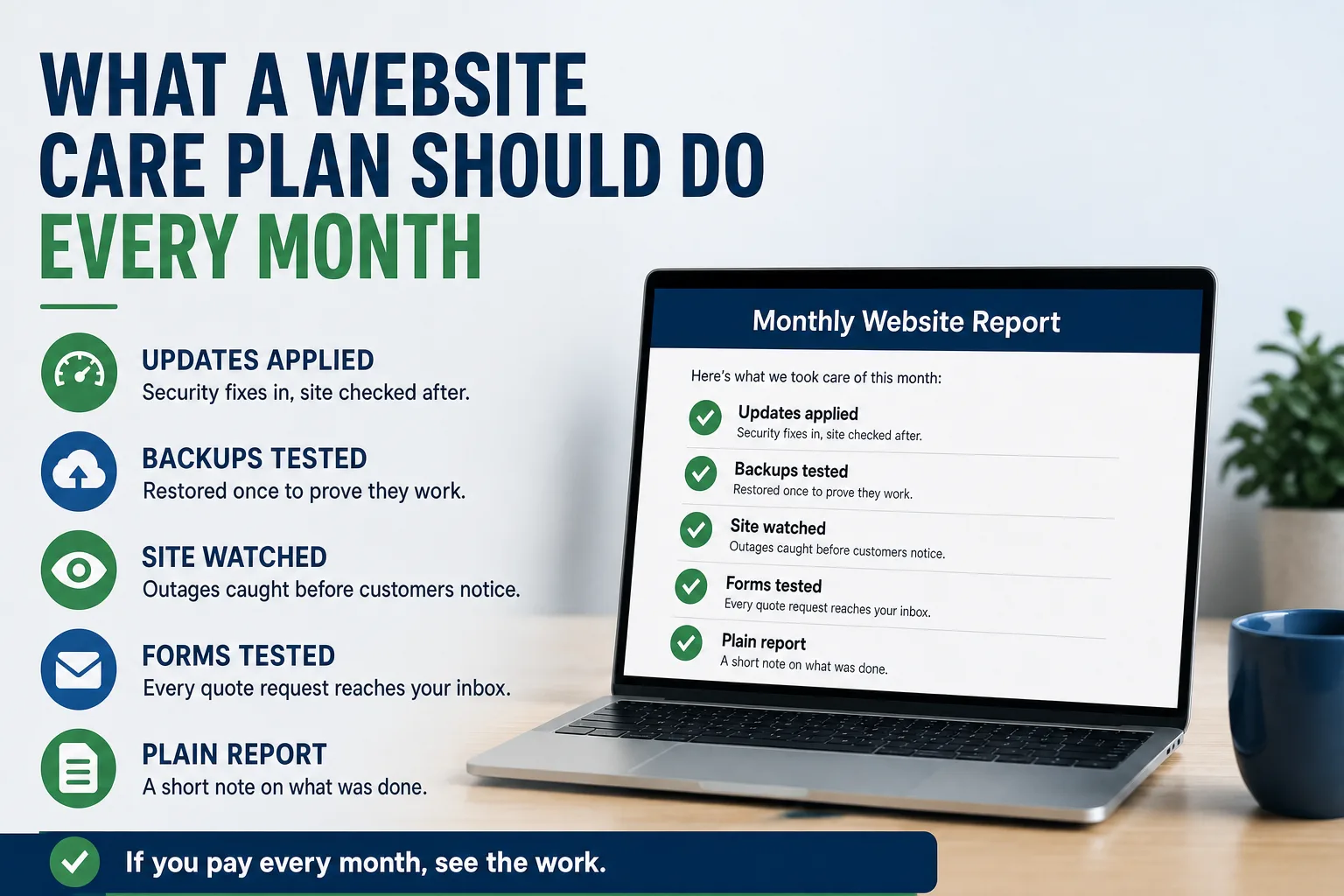
Updates and security fixes. Most business websites run on software that needs regular patches, plus add-ons from other companies that need their own. Skipping them is how most small business sites get broken into. Someone should apply them, then check that the site still works afterward.
Backups that someone has actually restored. Having backups is not the same as being able to use one. Ask when a backup was last restored as a test, and how long it took. A provider who has never tried it is guessing. If you want to know what that guess costs, see what happens in the first day after a site is hacked.
Someone watching whether the site is up. You should not hear about an outage from a customer. Automatic checks should alert a person within minutes, any hour of the day.
A test of the contact form. Forms are the part of the site that turns visitors into money, and they fail without warning. Someone should send a real test message on a schedule and confirm it lands in the right inbox.
Renewals tracked. Your web address and the security certificate behind the padlock in the browser both expire. A lapse takes the site offline or puts a warning in front of every visitor. Your provider should know the dates. They should also know which renewal notices are real, because fake website invoices are mailed to small businesses all the time.
Small changes, done promptly. A new phone number, a staff photo, a holiday closure. These should be a short email and a quick turnaround, not a quote and a two week wait.
The report you should get
Every month you should receive a short note in plain words. Not a dashboard full of charts. A few lines a manager could read on a phone.
It should say what was updated, whether anything broke, and what was done about it. It should confirm the latest backup and the latest form test. It should list any renewals coming up in the next few months and any changes you asked for.
If nothing happened, the report should say so. "Quiet month, all checks passed" is a perfectly good report. It tells you the work was done and nothing needs your attention.
If you get no report at all, ask for one. If the provider cannot produce one, that tells you how much of the work is happening.
Signs you are paying for nothing
You learn about problems from customers. A buyer emails to say the quote form bounced, or a salesperson notices the site is down from a trade show floor.
Nobody can tell you when the site was last backed up, or whether that backup works.
Small changes take weeks, or each one arrives with its own invoice on top of the monthly fee.
The plan is described as "unlimited" or "full service" with no list of what that includes.
Your provider holds the logins to your web address and accounts, and you do not. That last one is not about the monthly work. It decides how hard it is to leave. We covered how to check it in who actually owns your website.
When a care plan is not worth it
Some businesses genuinely do not need one. If your site lives on a hosted page builder, the platform already applies its own updates. You still need someone to watch renewals and test the form, but that may be an hour of your office manager's time each quarter.
The same is true if you have a capable person in house who enjoys this work and has the time. Write down the checklist above, put it on their calendar, and you may be covered.
Where a plan earns its keep is a site that brings in real business and has moving parts: quote forms, product catalogs, several add-ons, or a history of being slow to fix. There, the question is not whether to pay for care. It is whether the care you pay for is actually happening.
For what it is worth, our own plans are built around the list in this article, and they are written out on our pricing page so nobody has to guess.
Five questions to send your provider this week
When was the site last backed up, and when did you last restore a backup to prove it works?
How would you know if the site went down at 2 a.m. on a Saturday, and who would get the alert?
When did you last send a test through our contact form, and where did it land?
What are the renewal dates for our web address and security certificate, and whose card pays them?
Can you send a short monthly note saying what was done, starting this month?
A good provider will answer all five in one reply without any fuss. If the answers are vague, or the reply takes two weeks, you have learned what the monthly invoice is really buying. If you would like a second opinion on what you hear back, start a conversation.