Your Website Was Hacked: The First 24 Hours for a Business Owner
A customer sees a red warning on your site, or strange pages under your name on Google. What to do in the first day, in order, and what to leave alone.
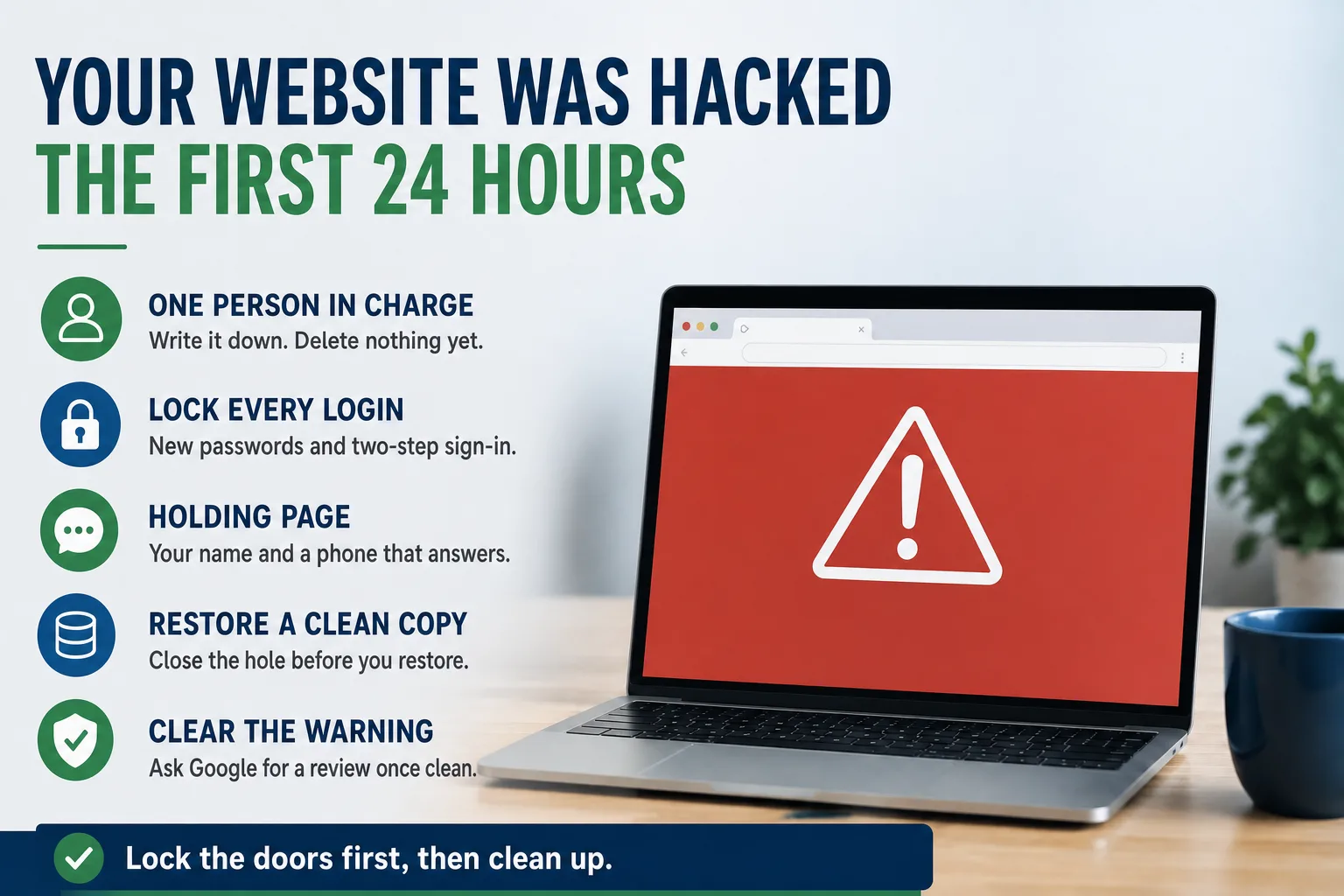
A customer calls on a Tuesday morning. They searched for your company, clicked the first result, and their browser showed a full red page warning them away. Or your site sent them somewhere selling pills. Or your listing on Google now shows pages in a language nobody at your company speaks.
Your website has been broken into. The next day matters more than the next month, and most of the damage owners suffer comes from the first few hours: deleting evidence, panicking in public, or cleaning the site while the door the attacker used is still open.
Here is the order that works, written for the person who has to make the calls, not the person who fixes the files.
First hour: put one person in charge
Pick one person to run this. Usually that is you or your operations lead. Everyone else sends what they see to that person and does not touch the site.
Then call whoever builds or hosts your website. If you do not know who that is, or they do not answer, that is the most useful thing this day will teach you. Keep calling while you do the next steps.
Write down what you saw and when. Take screenshots of the warning page, the strange search results, anything odd. Note who reported it and at what time. Do not delete files, pages, or user accounts yet. Your web person, your insurer, and possibly an investigator will want to see what happened before anyone cleans it up.
Lock every door before you clean the room
Cleaning a site while the attacker still has a way in is wasted money. They come back the same night. So the first real work is changing passwords, in this order.
Start with the account that controls your web address, because whoever holds it can point your name anywhere. Then the hosting account, then every login to the website itself, then the email accounts tied to any of those. Use new passwords that are not used anywhere else, and turn on two-step sign-in wherever it is offered.
Ask your web person to list every user account on the site and remove any nobody recognizes. Attackers often add a quiet administrator account so they can return later.
Check your email too. If a mailbox was taken over, look for forwarding rules nobody set up. That is the same warning sign covered in when scammers bill your customers in your name.
Should you take the site down?
If the site is sending visitors somewhere harmful, showing a fake payment page, or trying to install something on their computers, take it offline now. Replace it with a simple holding page: your name, your phone number, and a line saying the site is being updated. A day of lost visitors costs far less than infecting a customer's computer under your name.
If the damage is hidden spam pages that only show up in Google, the call is less urgent. Your web person can often clean those with the site still running. Either way, the holding page is worth having ready before you ever need it.
Make sure the phone line on that holding page is answered. While the site is down, every buyer who would have filled out a form will call instead, or call a competitor. The cost of a site going down is mostly in those calls.
Clean it, or restore a copy you trust
There are two ways back. Your web person can clean the infected site file by file, or they can restore a saved copy from before the break-in. Restoring is usually faster and more certain, with two conditions.
The saved copy has to predate the break-in, and attackers are often inside for weeks before anyone notices. And the hole they used has to be closed first. On most small business sites that hole is an out of date add-on, an old theme, or a password reused from somewhere else. Restore without fixing it and you will be back here next month.
Google's own guidance warns that a hacked site may be infected in more than one way. Ask your web person to tell you, in plain words, how the attacker got in and what they changed to stop it. If they cannot answer, the job is not finished.
This is also when owners learn whether they have backups at all, and whether they control them. If the only copy lives with a vendor who has stopped answering, read who actually owns your website once the dust settles.
Get the warning off your name
The red warning page and the strange search results come from Google, and they do not go away on their own when the site is fixed. Google provides a free account for site owners, called Search Console, with a Security Issues report that lists what it found.
Once the site is truly clean, your web person requests a review from that report and explains what was fixed. Google says the review can take anywhere from a few days to a few weeks. It also warns that asking before the problem is fully gone only keeps the warning up longer. Clean first, ask once.
That account should be in your company's name, not a former vendor's. If nobody can log in to it on the day of a hack, recovering access becomes one more delay.
Who you may need to tell
If your site collected any customer information, such as forms, accounts, or payments, call your attorney and your insurance carrier before you announce anything. State laws on notifying affected people differ, and the Federal Trade Commission's guide for businesses after a breach starts with exactly that advice: check what your state requires. A cyber insurance policy may require prompt notice and may name the firms it will pay for.
You can report the attack to the FBI's Internet Crime Complaint Center at ic3.gov. It costs nothing and creates a record if this turns into something larger.
For customers, short and plain beats silence. What happened, what you did, whether their information was involved, and a phone number to call. No links in the email, so your notice cannot be mistaken for a scam.
Do these five things this week, before anything happens
Most of what makes a hack expensive is decided before the hack. Run these this week.
Write down who you call when the website breaks, with an after hours number, and test that it is answered. Ask when the last backup was taken and whether anyone has ever restored one. List every login for your web address, hosting, website, and Google accounts, and confirm each one is held by your company. Turn on two-step sign-in for all of them. Ask your web person to have a holding page ready.
If any of those questions gets a shrug, that is your answer. This is the arrangement we set up by default for every site we manage: monitored, backed up, and owned by the client. If you would rather have someone else hold the checklist, talk to us.