Customers Can Now Text You From Google Maps. Who Answers?
Google Maps now puts a Message button next to Call. Where those texts really go, whether to turn it on, and a five minute test to run this week.
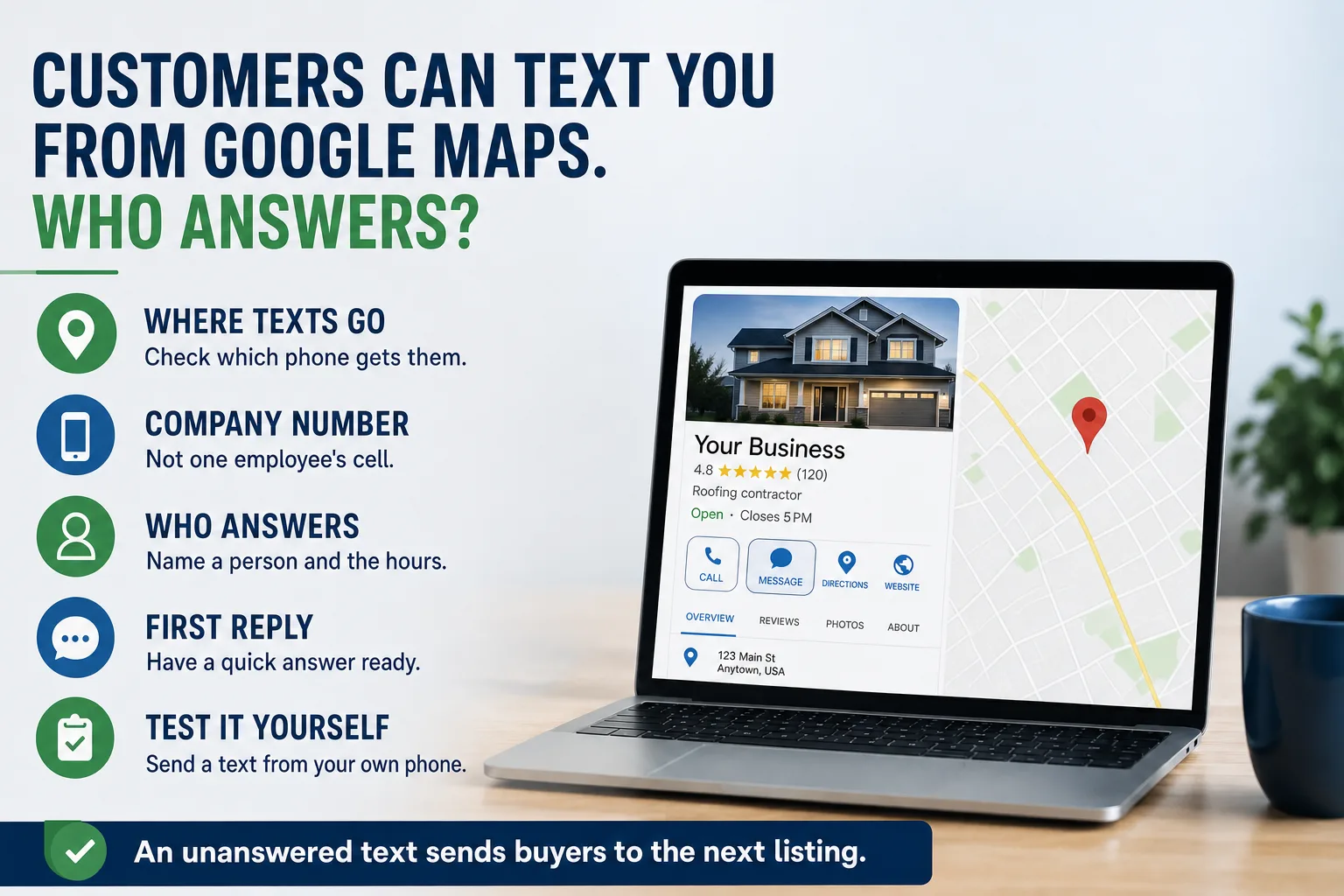
A property manager is sitting in her car between two site visits. She needs a roofer to look at a leak before the weekend. She finds three companies on Google Maps. She cannot make a call, because her next meeting starts in four minutes. So she taps Message on the first listing and types one line: "Do you do commercial flat roofs in Ontario? Need someone out this week."
That text goes somewhere. Maybe to the owner's personal cell. Maybe to a phone in the truck of a foreman who left in the spring. Maybe to the office line, which cannot receive texts at all, so the message simply disappears. She gives it ten minutes, then taps Message on the second listing.
Google just made that moment a lot more common. Here is what changed, where your messages are probably going today, and how to decide whether the button helps you or quietly costs you work.
What changed on your Google listing
In its monthly bulletin for small businesses in early November, Google said that Maps now shows a Message button right next to the Call button, on both iPhone and Android. Before this, the option to message a business sat far down the listing, where few people scrolled.
The button only appears for businesses that have set up messaging on their Google Business Profile (the free listing that shows your hours, reviews, and directions on Google Search and Maps). When a customer taps it, Google hands them off to the channel the business chose, which is a regular text message to a phone number or a WhatsApp chat.
Google used to run its own chat inside listings and shut it down in 2024. This is the replacement, and now it sits in the most valuable spot on the listing. If nobody at your company ever turned it on, you have no button and nothing broke. If someone did, buyers can now reach you in a way you may not be watching.
Why a text is a different kind of lead
People text a business when they are in between things. A plant manager on the floor. An office manager in a meeting. A general contractor walking a job. They cannot talk, but they need an answer before they move on to the next task.
That changes what the buyer expects. A contact form at least tells the visitor when to expect a reply, if you write that on the page. A text has no such message. The buyer has no idea whether a person saw it, so silence reads as closed, or as too busy to want the work.
A text is also usually short and specific. Do you serve this area? Do you handle this kind of job? Can you come this week? Those are the easiest questions you will ever get from a buyer. A one line reply often turns into a quote request. No reply turns into a tap on your competitor's listing.
Where those messages actually go
Open your own listing and look at which number is set for messages. In most companies, nobody can say without checking. The number was entered by whoever set up the listing, often years ago, and nobody has looked at it since.
The usual answers are uncomfortable. The owner's personal cell, which makes the owner the after hours answering service and mixes buyer texts with family texts. A cell phone that belonged to someone who no longer works there. Or the main office number, which on many office phone systems cannot receive texts unless the phone provider turns that on. In that last case, the customer sees a sent message, and you see nothing at all.
This is the same trap as a contact form that shows a thank you message while the inquiry goes nowhere. We wrote about that in why nobody fills out your contact form. The button looks like it works from the outside. The only way to know is to use it.
Should you turn it on at all?
Not every business should. A Message button that nobody answers does more harm than no button. A missing option costs you a few buyers who would have texted. An ignored one tells every buyer who tries it that you are slow, which they may repeat to the next person who asks.
Turn it on if someone can reliably answer during business hours within the hour, and if your buyers are the kind who are on the move. Trades, service companies, and anyone who gets urgent calls usually fit. A manufacturer with long quote cycles may still want it, because a short text is often the first step toward a request for a quote.
Leave it off, or turn it off, if nobody owns it. A Call button that rings a real person during business hours beats a Message button that sits unread. You can always add messaging later, once you have decided who answers it.
Set it up so it does not depend on one person
Use a number that belongs to the company, not to an employee. If the person leaves, the number and the conversations should stay. Many business phone services can send texts to a shared inbox that several people can see, so a message is not stuck on one phone.
Name who answers, and when. Write it down: who watches messages during the day, who covers lunch, and what happens after hours. If after hours means the next morning, a short automatic reply that says so is far better than silence.
Have a first reply ready to send. Something like: "Thanks for reaching out, this is Dana in the office. Yes, we cover Ontario. What is the address of the building?" It confirms a real person saw it and asks the one question that moves the job forward. When the details get long, offer a call or send them to your quote form.
Finally, keep a record. A text lead is still a lead. Copy it into wherever you track inquiries, so a good prospect does not live only in one person's phone. On the Ancla Plumbing site we keep Call and Text one tap away on every phone screen for the same reason: buyers on a phone want the fastest path, and the business needs that path to land somewhere it is watched.
Run this test before the weekend
Take a personal phone that is not connected to the business. Open Google Maps, search for your company, and look at the top of the listing. Is there a Message button? Is the Call button there, and does it ring the right line?
If there is a Message button, send a real question, the way a buyer would. Then find out who saw it, on which phone, and how long a reply took. If nobody knows, you have found the problem. Fix the number or turn the option off today.
While you are on the listing, check the rest of it: hours, service area, and phone number. That listing is often the first thing a buyer sees, before your website. Our guide to ranking in your own city covers what else on it matters. Repeat the test every quarter, and any time someone who carries a company phone leaves. If you would rather someone else watched all of this, we are glad to talk.